
The Art of BankCraft™
BankCraft Classroom
Tap to Pay: Trendy Toy or Security Upgrade?
The safest card number may be the one you never give the merchant.
Last reviewed: September 4, 2026
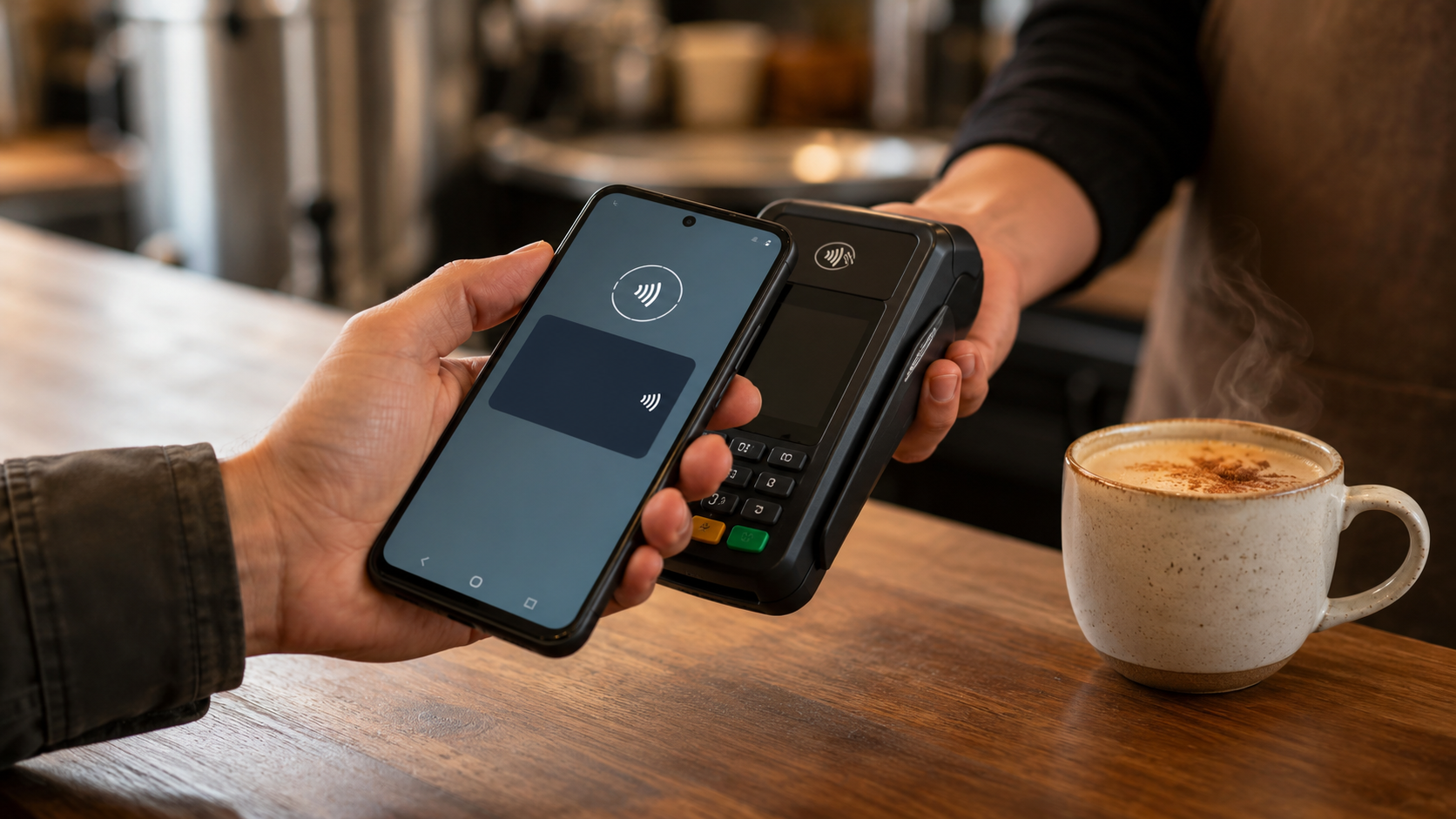
For a year, I thought it was cute.
I watched people hold up their phones at the register and thought, “Isn’t that cute?” Some of them were standing there typing a code before they could tap. Why would I do all that? I could pull out my physical card, put it in the machine, and boom—the purchase was done.
Then I started using Samsung Wallet with my fingerprint. Fingerprint, tap, boom—paid. Once I understood how easy it was, I also discovered that convenience was only half the story.
I did not need to carry every physical card anymore. Several cards could live behind the security of my phone while I carried one physical card as a fallback for the occasional merchant without contactless payment.
The merchant does not need your actual card number.
When an eligible card is added to a mobile wallet, the wallet and payment network create a substitute digital credential for that device. The industry calls this tokenization. When you pay, the merchant receives that substitute credential along with transaction-specific security information—not the number printed across your physical card.
Samsung says Samsung Wallet replaces sensitive card information with a device-specific token and requires a fingerprint or Samsung Wallet PIN before sending the payment. Google says Google Wallet can share a virtual card number with the merchant instead of the actual card number. Apple says Apple Pay uses a Device Account Number and a transaction-specific security code without sending the actual card number.
The safest card number may be the one you never give the merchant.
A token is not a disguise painted over the card number.
It is a substitute payment credential tied to the wallet or device. If somebody steals a merchant’s stored payment data, the token does not simply reveal the number printed on your physical card.
If the physical card stays home, a thief at the terminal cannot skim its magnetic stripe or copy the number from the piece of plastic you never presented. The phone sends the wallet’s token instead of handing the terminal your actual card number.
That does not make the phone impossible to attack.
A compromised device, stolen passcode, fraudulent card enrollment, or payment you are tricked into authorizing can still cause trouble. Mobile wallets sharply reduce traditional card-number and skimmer exposure; they do not eliminate every form of payment fraud.
In Honduras, the difference is visible.
When I use a physical credit card in Honduras, a merchant may ask for identification, write the identification number at the top of the receipt, and ask me to sign—even when the receipt does not have a signature line.
In my experience, using Samsung Wallet eliminates those requests roughly nine times out of ten. Most merchants appear to recognize that the mobile-wallet transaction has already been authenticated. A few still request a number or signature because of store policy or habit, but the transaction usually becomes faster and exposes less personal information.
Honduras is ahead of many places in contactless acceptance. Tap to pay is available at nearly every merchant I regularly use there. Meanwhile, my local Walmart in Florida has been one of the holdouts.
Field experience, not a universal rule
A mobile-wallet payment does not guarantee that a merchant will waive its identification or signature procedure. Follow the merchant’s legitimate requirements. The important observation is that authenticated mobile payments have dramatically reduced those requests in my actual use.
Watch the amount before you tap.
Many merchants I use in Honduras have a separate credit-card terminal that is not integrated with the cash register. The employee completes the sale in the point-of-sale system and then manually enters the amount into the payment terminal. I have seen the two amounts differ. I hope those were typing mistakes, but hope is not a payment-control system.
Before I use my fingerprint or tap the phone, I look at the terminal and confirm both the amount and the currency. Many U.S. merchants use integrated systems that send the amount from the register to the terminal automatically, although standalone terminals can exist anywhere.
Tap to pay securely authorizes the amount on the terminal. It does not verify that somebody entered the correct amount.
Samsung Wallet, Google Wallet, and Apple Pay
The three major wallets use different names and operate inside different device ecosystems, but the central protection is similar: keep the actual card number away from the merchant and require the device user to verify the payment.
Samsung Wallet
Designed for compatible Samsung Galaxy devices. It uses a device-specific token, Samsung Knox security, and fingerprint or Samsung Wallet PIN verification. SmartThings Find can remotely lock or erase Wallet data on a missing device.
Google Wallet
Available across supported Android devices with NFC and required security settings. It uses a virtual card number for eligible payments and relies on device screen-lock verification. Google’s Find Hub can locate, secure, or erase a lost Android device.
Apple Pay
Built into compatible Apple devices. It uses a Device Account Number and transaction-specific security code, with Face ID, Touch ID, Optic ID, or a passcode. Find My can place a missing device in Lost Mode and suspend Apple Pay.
The practical choice usually begins with the phone you already carry. The strongest security system is the one you configure correctly and consistently use.
“Tap to pay” does not always mean “mobile wallet.”
A contactless terminal may accept several different payment methods:
- A physical contactless card: You tap the plastic card itself. It is quick, but there is no phone fingerprint or face check protecting that piece of plastic.
- A mobile-wallet payment: You select or present a card through Samsung Wallet, Google Wallet, or Apple Pay. The wallet uses its substitute card credential and device authentication.
- A merchant’s QR or proprietary payment system: You scan a code or use the merchant’s app. Its security, privacy, and reward treatment depend upon that particular system.
“Tap to pay” tells you how the payment reaches the terminal. It does not automatically tell you what security or rewards are attached to it.
Security can have a cash-back assignment too.
My Samsung Galaxy Card currently earns 3% cash rewards when I use it through Samsung Wallet, including eligible online and in-app Samsung Pay purchases. Tapping the physical card is not the same assignment. Purchases outside the card’s listed bonus categories generally earn its base rate.
That 3% reward belongs to the Samsung Galaxy Card’s reward program. It is not a general promise that every card in Samsung Wallet earns 3%. Other cards normally follow their own issuer’s reward rules.
This is why contactless acceptance at my local Walmart matters. If the terminal supports the standard mobile-wallet payment and I pay through Samsung Wallet, I can use the more secure credential while giving that purchase to the card assigned to earn 3%.
Verify the posted reward.
Do not assume that the symbol on the terminal guarantees a particular reward. Make one ordinary purchase, let it post, and check the reward activity. Card terms and merchant payment methods can change.
For the larger strategy of assigning purchases to the right card, continue with Cash Back Is an Instrument, Not a Perk.
Carry less plastic. Limit the blast radius.
If my physical wallet disappears, I do not want every useful card to disappear with it. Loading eligible cards into a properly secured mobile wallet allows me to carry one physical fallback card instead of a stack of plastic.
That does not automatically change my legal liability for unauthorized transactions. It reduces my exposure: fewer physical card numbers are available to whoever finds or steals the wallet.
A mobile wallet becomes another instrument in the Financial Symphony. It allows several cards to keep their specialized jobs without requiring me to carry every piece of plastic everywhere I go.
The phone has another advantage the leather wallet does not. A properly configured phone can require biometric or passcode authentication, and its lost-device service may allow it to be located, locked, or erased remotely.
Set up lost-device protection before you need it.
SmartThings Find, Google Find Hub, and Apple Find My are not emergency plans if you never enabled or tested them. Know how to reach the service from another device. If you cannot secure the missing phone promptly, contact the card issuer.
Tokenization protects the credential—not every decision.
A mobile wallet is safer in important ways, but it is not magic.
- It cannot protect you from a scammer you knowingly authorize payment to.
- It does not turn a debit card into a credit card or change the underlying account’s dispute rules.
- It does not make the purchase anonymous. The merchant, payment network, and card issuer still process information necessary for the transaction.
- A weak phone passcode can undermine the protection surrounding the wallet.
- Returns may require the last four digits of the wallet’s digital card number, which may differ from the physical card.
Remove the card number from the transaction. Do not remove your judgment.
Tap to pay is the vanilla chai of financial life.
Tap to pay and vanilla chai coffee do not appear to belong in the same banking lesson. The connection is not that both can show up near a cash register. The connection is that I dismissed both before I understood either one.
In Honduras, they make vanilla chai coffee by placing a vanilla chai tea bag directly into the coffee. At first I wondered what in the world they were doing. I did not expect tea and coffee to belong together. Then I tried it. Now regular coffee tastes like something important is missing.
Completely Unpaid Shout-Out
Bigelow Vanilla Chai
I use a Bigelow Vanilla Chai tea bag in my coffee. Bigelow, please keep making it. I am mentioning it here because I would like to help keep the product line alive—and because tap to pay produced the same transformation.
Tap to pay followed the same path. For almost a year, I watched people use it and thought it was a cute, unnecessary substitute for pulling out a card. Then Samsung Wallet made it fingerprint, tap, boom—and the old way was ruined forever.
I did not expect either one to change anything. Now I cannot go back to either.
Convenience cuts both ways.
Cash makes spending visible. You watch the bills leave your hand. A physical card removes some of that sensation. Tap to pay can remove even more:
Fingerprint. Tap. Bloop. Out the door.
That effortless experience is wonderful until it makes the purchase feel effortless too. The old inconvenience acted as a tiny financial speed bump. Removing the speed bump means the operator has to provide the judgment.
Use tap to pay for purchases you already intended to make. Confirm the amount on the terminal. Enable an alert for every transaction. Choose the rewards card deliberately instead of allowing the default card to make the decision. Review the purchases after the convenience has worn off.
Set it up like a financial instrument.
- Add cards only through the official wallet, card issuer, or bank application.
- Use a strong device passcode and biometric authentication.
- Turn on transaction alerts for every card in the wallet.
- Enable and test the appropriate lost-device service.
- Choose the default card intentionally and check it before each purchase.
- Carry one useful physical fallback card when contactless acceptance is uncertain.
- Know where the wallet displays the digital card’s last four digits for returns.
- Test the reward with a real posted purchase before relying on it.
BankCraft Protocol
Using a Mobile Wallet
Secure the device first. Use a strong passcode and biometrics. Enable the lost-device service before adding payment cards.
Protect the card number. Use Samsung Wallet, Google Wallet, or Apple Pay at supported merchants so the actual card number is not presented to the merchant.
Assign the right card. Confirm the selected card, merchant amount, currency, and applicable reward before authorizing the payment.
Keep one fallback. Carry one physical card when necessary instead of exposing the entire wallet.
Keep the judgment. Tokenization protects the credential—not a purchase you did not need, an amount you failed to check, or a scam you authorized.
Official technical references
- Samsung: How secure is Samsung Wallet?
- Samsung: Galaxy Card benefits and cash rewards
- Samsung: Manage Samsung Wallet if a device is missing
- Google: Keep your payment information safe
- Google: Verify that it is you to make a purchase
- Google: Find, secure, or erase a lost Android device
- Apple Pay security and privacy overview